 Ski Crew
Your crew
Find your crew without a phone call.
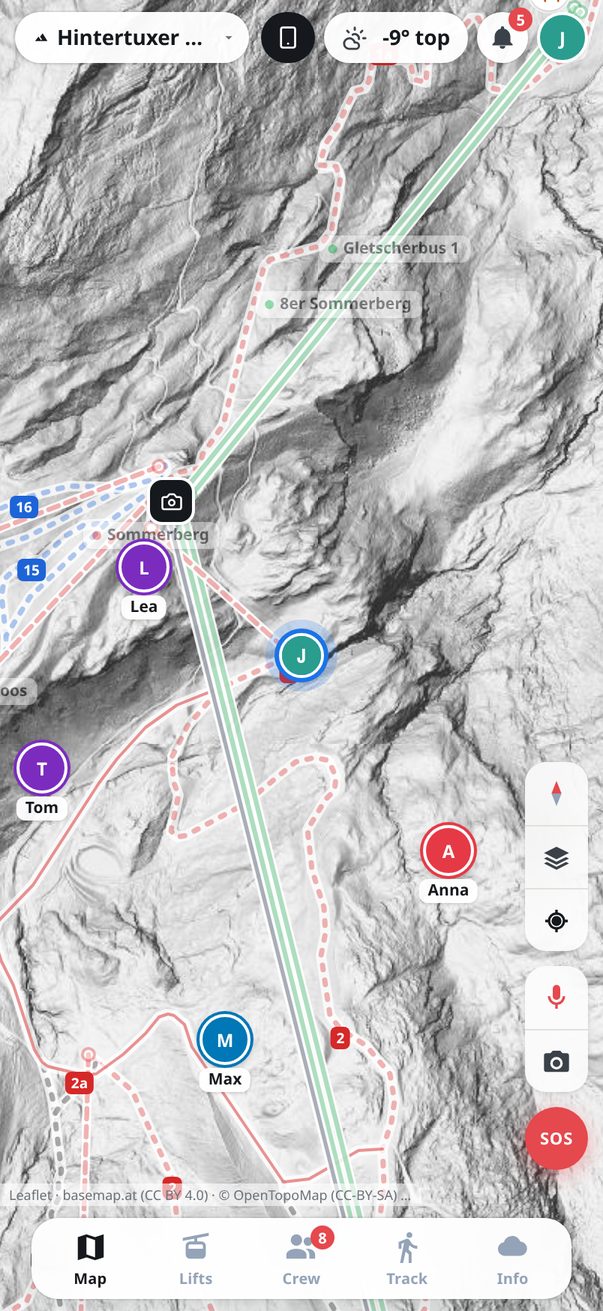
Everyone in your group on the map as they ski. Hold to talk and they hear you, or keep a call open for the whole crew. Meet at the hut without a single "where are you?" text.
Free. Friends join from a link, in the browser or the app, with a quick sign-in.
Three steps to a crew
- Make a crewGive it a name: the family, the Saturday group, the ski club.
- Send the linkBy message or a QR code. It opens in the browser or the app; they sign in with Face ID, Apple or Google and are in.
- SkiEveryone who shares is on your map. Hold the red button to talk to all of them.
Everything for a crew
- Live on the mapYour crewmates where they are, with how long ago, and the way and distance to each.
- Walkie-talkieHold to talk; new voice messages play by themselves while the app is open.
- Crew callAn open line for the whole crew, no button to hold. In the iPhone app it keeps going with the phone in your pocket.
- Chat, photos and placesMessages, photos on the map, and "I'm here" as a little map in the chat.
- Meeting pointsDrop a pin at the hut; everyone sees it, with the way and the time to get there.
- Where are you?One tap nudges the quiet ones; they answer by sharing where they are.
- Follow a crewmateAn arrow and the distance to a friend, to catch up with them on the way down.
- Live location for a whileYour position live in the chat for 15 minutes, an hour or 8 hours, then it stops by itself.
- Direct messagesA chat with one person next to your crews, with voice, photos and places, and them on the map.
- Find people to ski withOpen your profile if you like, and find people at your resort with the same level and plans.
- Visit plansSay where you are going and when; see who else is going, and meet up.
- Only your crewsYour position goes to your crews only, while you share it, and stops by itself away from ski areas.
Plans change on the mountain.
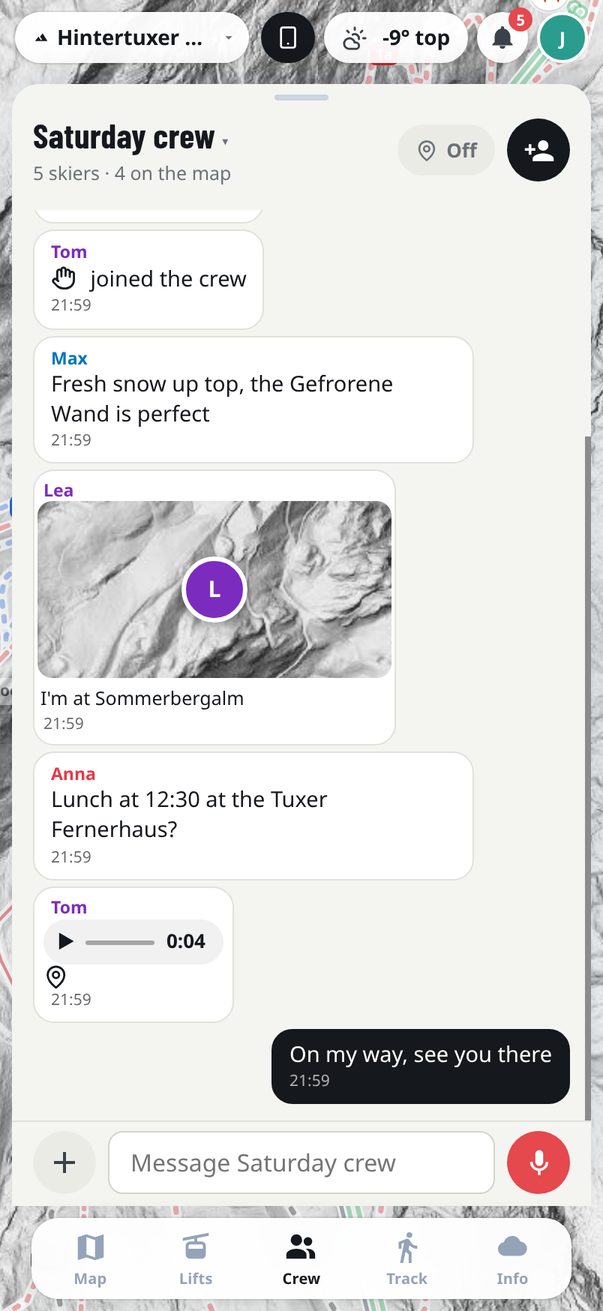
Fresh snow on the glacier, lunch moved to another hut, someone waiting at the wrong lift. The crew chat keeps everyone up to date without gloves off: hold to talk, send where you are, or answer with one word.
- Voice messages that play by themselves
- Where you are as a little map, one tap
- Photos land on the map where they were taken
On your wrist, too.
With the iPhone app, the Apple Watch shows your day and your crew. Send your position, ask "where are you?", talk, read the chat and listen to voice messages without taking the phone out. SOS asks once, then alerts your crew.
More of Ski Crew
Know what's open
Live lifts and pistes, the queue and the weather at the top.
The mapEvery run counted
Your day in numbers, and a card to share with the crew.
Your dayHelp, fast
One tap tells your crew you need help, and where.
SafetyPremium
Every past day, the 3D card and routes with several stops.
PlansMake a crew before the first lift.
It takes a minute, and your friends join from a link.